Cursor vs OpenCode: What We're Actually Comparing in 2026

I prefer Cursor when I want an editor and agent features that work together with little setup. OpenCode is the stronger fit when control over the agent code, model provider, or local inference matters more. Mark Gates uses OpenCode daily and makes that case below; our disagreement is part of this comparison.
Cursor is a proprietary editor and agent platform with free and paid plans. OpenCode is an open-source agent you can run from a terminal, desktop app, or supported editor. Its client is free, while hosted inference, hardware, and optional subscriptions can still cost money.
When comparing AI coding tools, feature counts alone hide three different choices:
- Whole products: Cursor's IDE, Composer 2.5, Cloud Agents, BugBot and automations against OpenCode as a terminal, desktop, or extension agent.
- Agent layers only: context, self-correction, plan-mode safety, MCP and skills, with the IDE taken out.
- Money: paid Cursor against free VS Code plus OpenCode plus the models you bring.
Agent behavior and total cost matter more than the number of features bundled with the editor. Mark Gates, who uses OpenCode daily, explains his preference below.
Version scope: the configuration and permission examples here describe OpenCode V1. OpenCode V2 changes the runtime, configuration names, and defaults; follow the V2 migration guide for a V2 installation rather than copying V1 rules unchanged.
The main AI coding tools guide gives our overall recommendations.
What is Cursor?
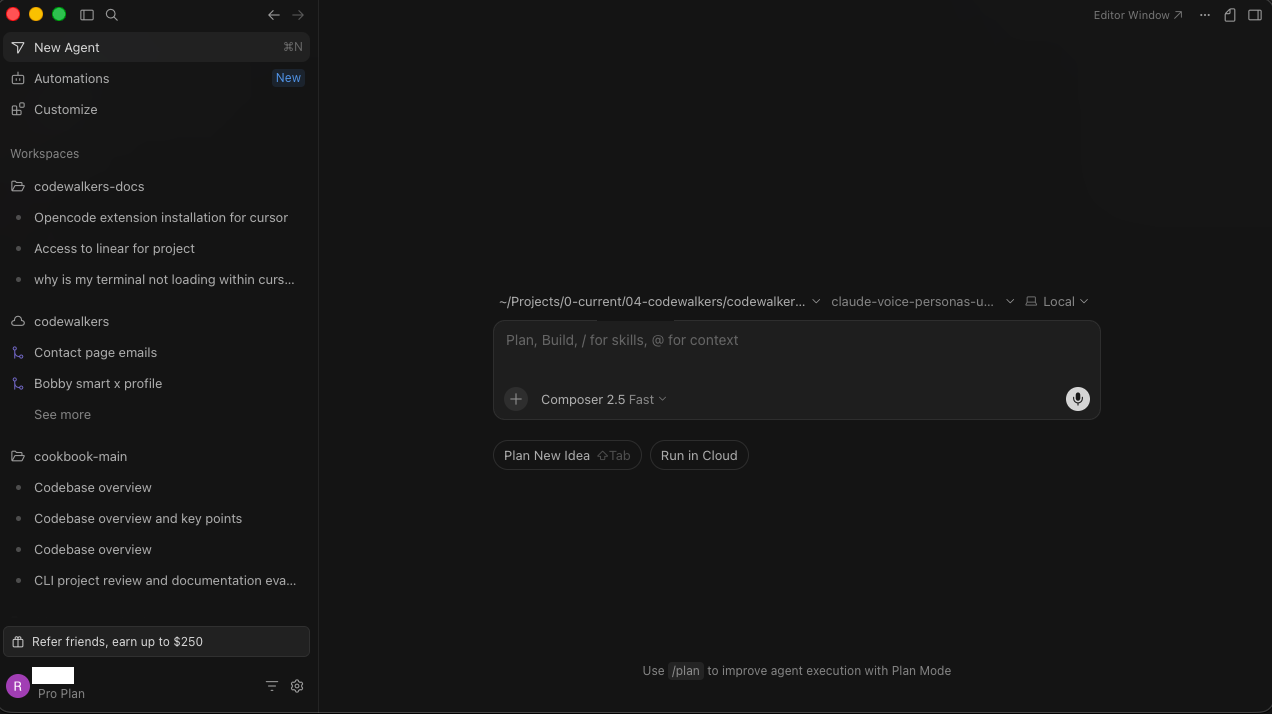
Cursor is a fork of VS Code with AI in the editing surface and a growing stack of paid features on top: sidebar chat, inline edits, and Composer for multi-file work. The VS Code base is open, and Cursor's own product is not.
| Cursor at a glance | |
|---|---|
| Type | Proprietary VS Code fork |
| Model | Composer 2.5; Claude, GPT, Gemini, Grok |
| Headline features | Chat, inline diffs, Cloud Agents, BugBot |
| Enterprise | SOC 2 Type II, SSO, SCIM |
| Account | Required |
| Price | Free; Plus $8/mo; Premium $30/mo; Teams from $30/user/mo |
What is OpenCode?
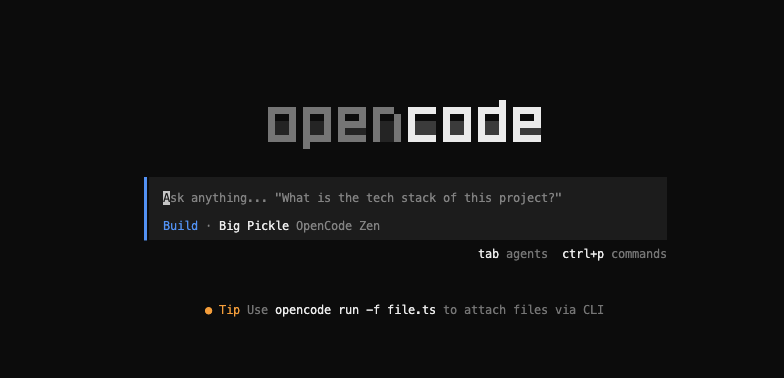
OpenCode is a free, open-source (MIT) AI coding agent, written in TypeScript and built by Anomaly. It runs in the terminal, a desktop app, or as an extension inside VS Code, Cursor, Windsurf (now Devin Desktop), and VSCodium.
You bring your own model, and it stores no code or context on its own service by default. Session data stays on your machine, and /share sends a shared conversation to OpenCode's hosting service.
It runs as a client and a server, so sessions can be remote, parallel, or scripted headless.
| OpenCode at a glance | |
|---|---|
| Type | Open-source coding agent (MIT) |
| Model | None; 75+ providers, plus local |
| Headline features | LSP loop, MCP, agents, client/server |
| Surfaces | Terminal, desktop (beta), IDE extension |
| Account | Not required for the tool |
| Scale | 185K+ stars, 900 contributors (July 2026) |
How do Cursor and OpenCode differ?
Cursor combines an editor with integrated agent features, while OpenCode provides an open-source agent that you can connect to your chosen model and use in a terminal or supported editor. The main tradeoffs are setup, model access, cost, and control over the agent itself.
| Question | What it really asks |
|---|---|
| Agent quality | Does model output become correct edits? |
| Extra context | Cursor indexing vs OpenCode's LSP loop |
| Safety | Does it run commands without asking? |
| Models | Composer 2.5 vs newer open models |
| Cost | Paying for models or polish? |
| Enterprise | Turnkey controls vs self-hosted, custom |
One more frame runs underneath all of them: OpenCode inside a free VS Code against OpenCode inside a paid Cursor. Plenty of developers do exactly that.
Is Cursor or OpenCode easier to set up?
I find Cursor easier to set up for a first coding session because its editor and agent features come together. OpenCode gives developers more configuration choices, including their model provider and optional local inference. Your existing workflow affects which setup feels easier:
- Already in VS Code: Cursor is close to a free switch, because extensions, keybindings, and muscle memory carry over.
- Already in the terminal with Claude Code or Codex: OpenCode is the smaller jump, because it works the way you already work.
- New to both: OpenCode's setup friction is real, and Cursor removes it.
Running OpenCode in an Editor
You do not search the marketplace for it. Open the built-in terminal in VS Code or Cursor, run opencode, and the official extension installs itself. Launch it later with Cmd+Esc on Mac or Ctrl+Esc elsewhere.
That auto-install path is also the safe one because the official extension comes from Anomaly, and the marketplace lists unofficial lookalikes beside it.
| Setup | Cursor | OpenCode |
|---|---|---|
| Time to first result | ~2 minutes | Longer; provider and keys first |
| Steps | Download, sign in, type | Install CLI, choose model, run |
| Account needed | Yes | No (unless you use hosted Zen) |
| Best for | Beginners, fast start | Developers who want control |
Plans and Pricing
Cursor uses fixed tiers with a usage pool. OpenCode is free, and you pay only for the models you run, or no per-token provider charge on local hardware. The economic question follows straight from there.
If you are happy in VS Code, the free path is VS Code plus OpenCode plus the tokens you use, and Cursor has to justify a subscription on top of an editor you could run for nothing. For many people Composer 2.5 and the bundled agents do that.
There is a catch on the metered side. I once left an agent running overnight on premium models and found about sixty dollars gone before I checked the dashboard.
Cursor's Plans
| Cursor plan | Price | What you get |
|---|---|---|
| Free | Free | Limited usage |
| Plus / Premium | $8 / $30 per month | Premium adds third-party models, Cloud Agents, Bugbot, and Grok Bot |
| Super / Ultra | $100/mo / $200/mo | Higher included usage allowances |
| Teams | from $30/user/mo | SSO, admin, analytics |
| Enterprise | Custom | Full compliance stack |
How much does OpenCode cost?
The OpenCode client is free. Paid hosted models and optional subscriptions cost extra; some hosted models are free. Local inference requires your own hardware and electricity.
| OpenCode cost | Price | Notes |
|---|---|---|
| The tool | Free (MIT) | Open source |
| Bring your own model | Provider usage, or local hardware and electricity | Any provider, OpenRouter, or Ollama |
| Zen gateway (optional) | Pay-as-you-go, plus free models | Selected tested models; some free |
| Go subscription (optional) | Go $10/mo; Go Plus $40/mo | Usage limits; optional top-ups |
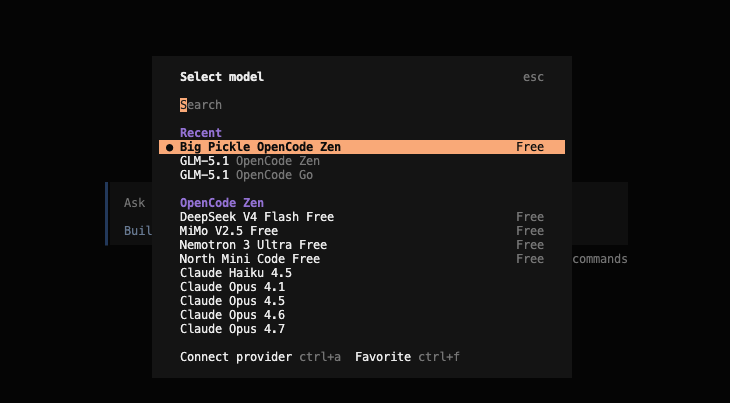
Zen also offers models marked Free in its current picker. Availability and terms change, so use that live list before choosing a model for ongoing work. The screenshot below records the options available during our original run.
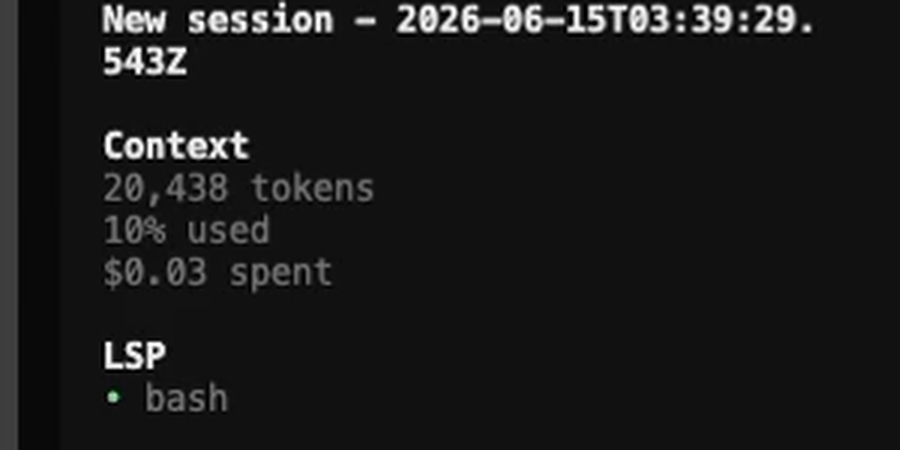
OpenCode shows a running total in the terminal: tokens used and dollars spent, updating with each message. After that night, watching the meter tick changed how aware I am of what a long run costs.
Zen, Go, and OpenRouter
The four ways to feed models into OpenCode are easy to confuse, so here they are plainly:
- Zen: OpenCode's own gateway, a selected set the team tested and tuned, pay-as-you-go, free models included.
- Go: a low-cost subscription with model-specific usage limits and optional credit top-ups.
- OpenRouter: one key, hundreds of models. OpenCode's docs note you cannot be sure which provider or version you land on, the exact problem Zen was built to fix.
- Direct or local: skip all three, plug in a provider key, or run on your own hardware.
| Model access | What it is | Billing |
|---|---|---|
| Zen | OpenCode's selected, tested gateway | Pay-as-you-go, plus free models |
| Go | Subscription with usage limits | Go $10/mo; Go Plus $40/mo |
| OpenRouter | Third-party gateway, hundreds of models | Pay-as-you-go; you pick the routing |
| Direct or local | Your own provider key, or Ollama | Provider's rate, or $0 local |
Zen and Go both give real access to strong current models, so this holds up for real work rather than being a free-tier demo.
Models and Performance
Composer 2.5 is Cursor's own model, and its lineage sits at the centre of the agent-layer debate. Per Cursor's blog it is built on Moonshot's open Kimi K2.5 checkpoint, with roughly 85% of compute spent on Cursor's own post-training and reinforcement learning.
Two fair readings sit on top of the same facts:
- Cursor's case: 85% of the work is its own RL, and on its agentic benchmarks Composer ties frontier models at a fraction of the cost.
- The OpenCode case: the base is an open model the frontier has passed, since Kimi K2.6 and Qwen3-Coder post-date K2.5, and Composer runs only on Cursor's own surfaces rather than any provider you choose.
Whether a newer open model inside OpenCode's agent layer beats Composer 2.5 inside Cursor's is what serious users are testing.
| Models | Composer 2.5 (Cursor) | Open models (OpenCode) |
|---|---|---|
| Base | Moonshot Kimi K2.5 plus Cursor RL | Any current model you choose |
| SWE-Bench Multilingual | 79.8% (vendor-reported, near Opus 4.8) | Depends on the model |
| Token cost | About a tenth of Opus (Cursor) | Varies; open models undercut it |
| Where it runs | Cursor app, web, CLI, mobile, SDK | Anywhere, including fully local |
| Ceiling | Fixed to Composer's release cycle | Newest open model on release |
Head-to-Head Runs
I recorded two of these. The first pits Composer 2.5 against GLM 5.1 through Zen, and Composer wins on speed by a wide margin.
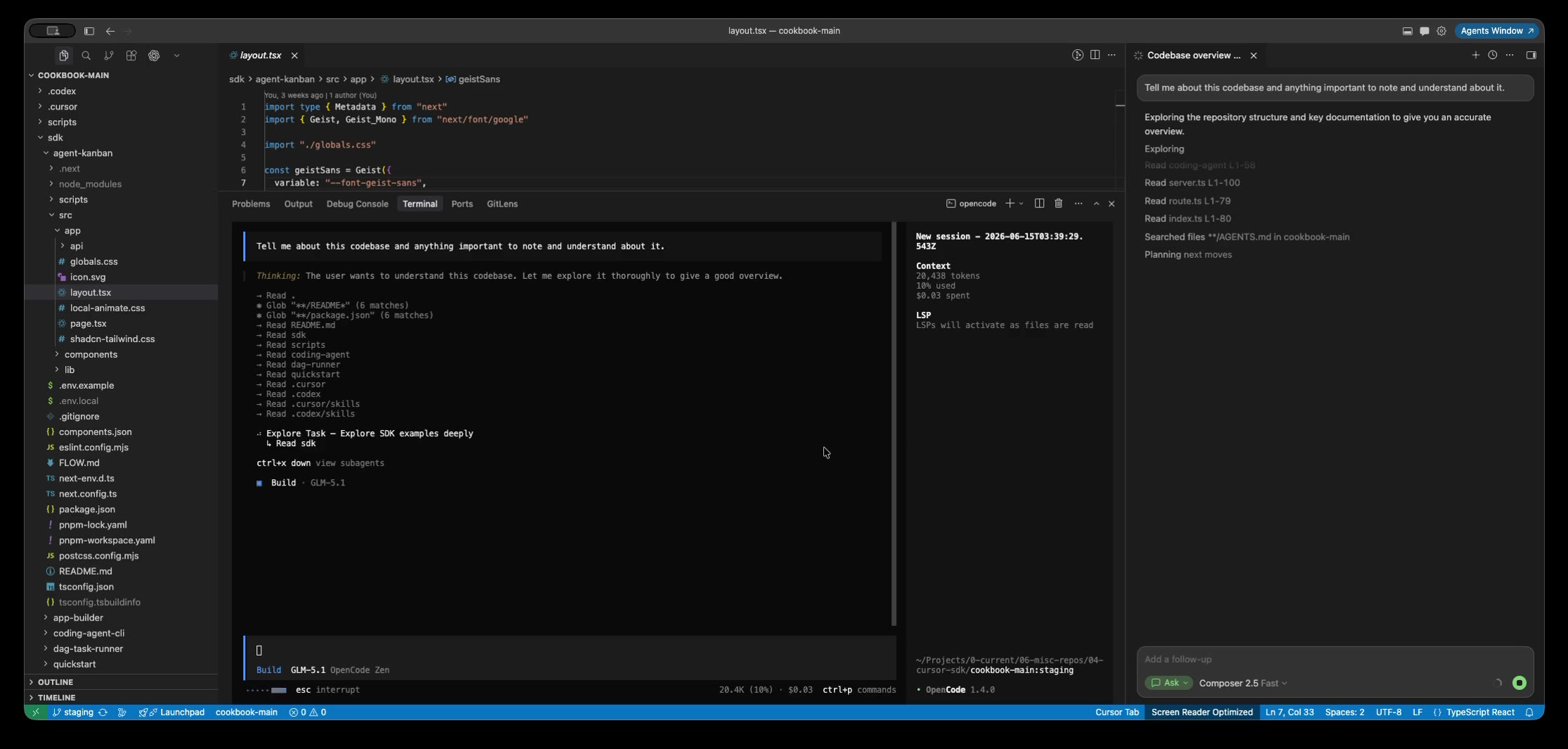
That is the wrong fight to read into it. GLM 5.1 thinks before it answers, so it was never going to feel fast in an interactive loop. The second run is fairer, Composer 2.5 against Big Pickle, one of Zen's fast models.
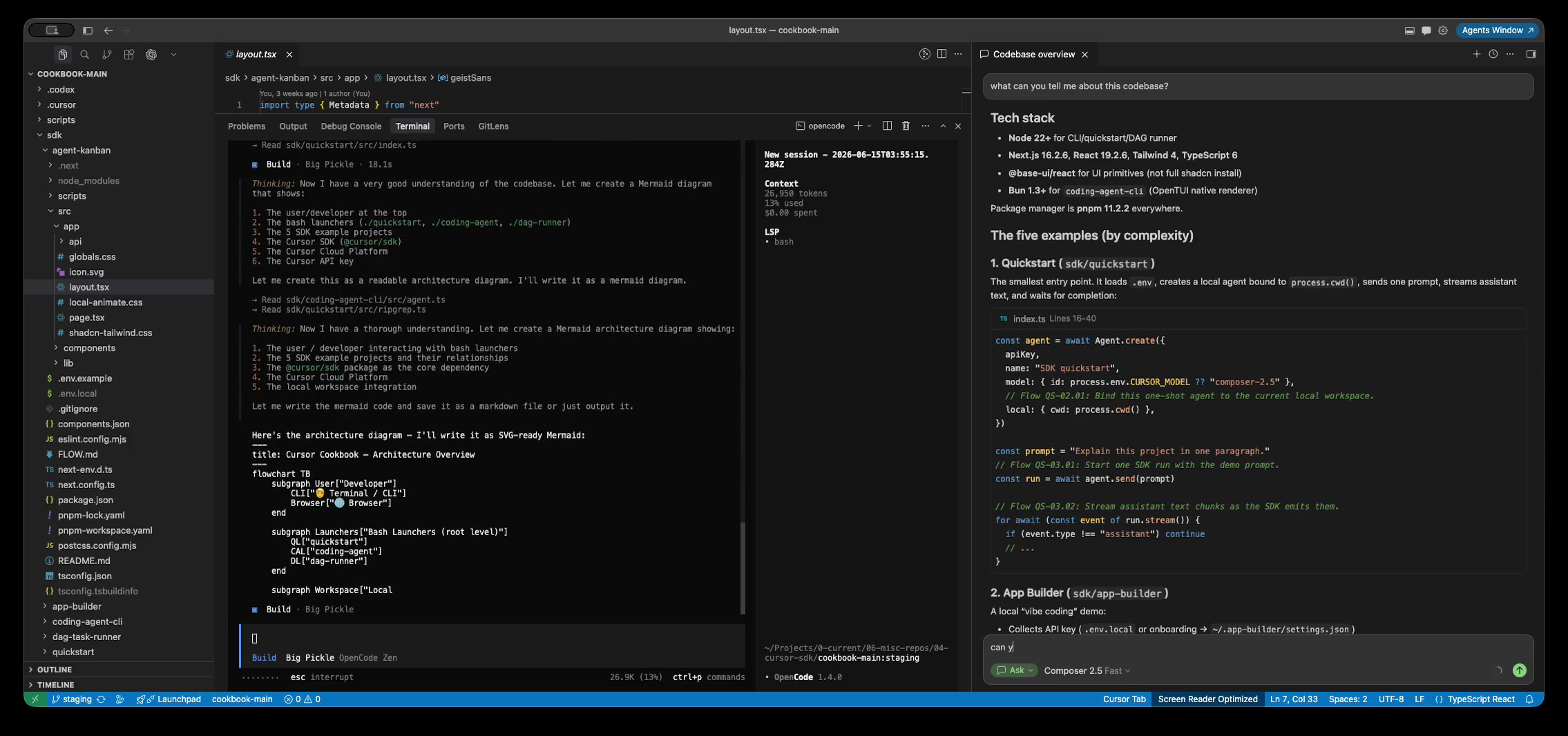
Big Pickle is quicker, and could not render a chart I could read in the terminal without extra setup. That is the surface as much as the model. Match the model class and the serving, and the gap narrows.
Both field a wide lineup beyond Composer, and it changes fast enough that any list here goes stale:
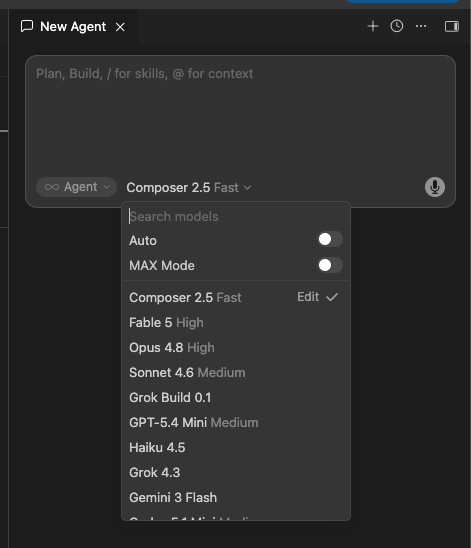
- In Cursor: Composer 2.5 for the agent, Fusion behind Tab autocomplete, plus Claude, GPT, Gemini and Grok. Current context windows live on Cursor's models page.
- In OpenCode: whatever you like, via Zen's selected list, the full provider list, or OpenRouter for the long tail.
Cursor curates a tested shortlist; OpenCode hands you the whole field. For current names and prices, use those source pages rather than any list on this one.
The Agent Layer: Context, Safety, and Control
This is the technical heart of the comparison, and where the IDE drops out. Weights are half of what you experience; the agent layer decides how context is managed, how tools are called, and how the thing recovers from its own errors. That is why one model posts different results in different harnesses.
Context and Memory
The two find and hold code differently, and it shows up in the failure modes rather than the feature list:
- Cursor builds an embeddings index to locate files fast, and reviews edits through an inline diff in the file you are already in.
- OpenCode runs a language-server loop that checks the edit against compiler diagnostics before reporting back, catching its own mistakes during the task.
- Room to work: Composer 2.5 runs a 200K window with self-summarisation; some models support larger contexts, with model-specific limits and usage costs.
- OpenCode takes whatever window your model has and compacts the conversation automatically near the limit.
| Context | Cursor | OpenCode |
|---|---|---|
| Finding code | Embeddings index of the repo | Reads files on demand |
| Self-correction | Inline diffs you review before accepting | LSP feeds compiler errors mid-task |
| Context window | Model-specific limits; Composer 2.5 up to 200K | Your selected model's context window |
| Long sessions | Self-summarization plus compaction | Auto-compaction, plus manual /compact |
Plan Mode, Auto Mode, and Command Safety
Both have a plan mode and configurable command controls. Their defaults point in opposite directions, and that is the part to understand before either one touches production code.
- Cursor ships cautious: allowlist first, then a sandbox with no internet access, then an LLM classifier that allows or blocks the call. The docs are blunt that all four run modes are best-effort.
- OpenCode ships permissive: most operations run without asking, and you tighten it yourself with precise rules like
"git push *": "deny".
| Safety | Cursor | OpenCode |
|---|---|---|
| Plan mode | Shift+Tab; reviewable plan first | Built-in read-only Plan agent |
| Command control | Allowlist, sandbox, then a classifier (permissions.json) | allow, ask, deny globs |
| Default posture | Safer by default (allowlist plus sandbox) | Allows most until you configure |
| Stated limit | Docs say "best-effort"; bypasses possible | You own it; doom_loop asks |
MCP, Skills, and Extensions
Both speak MCP and work with skills, so the difference is reach. Cursor inherits the VS Code extension library and adds Hooks that block commands or redact secrets; OpenCode is open source, so the agent code itself is forkable.
| Extensibility | Cursor | OpenCode |
|---|---|---|
| MCP | Yes | Yes |
| Skills and rules | Skills, rules, Hooks (block, redact) | Skills, custom and forkable agents |
| Ecosystem | VS Code extension library | Open source; fork the agent code |
Modes and Agents
Both give you more than one way to run, and the sets line up only loosely.
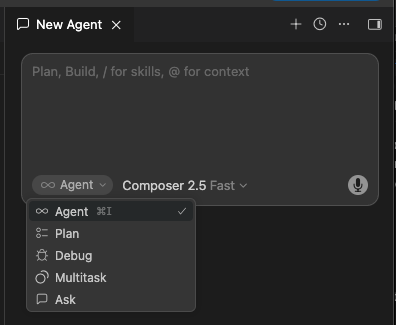
- Cursor's four modes, each starting its own context: Agent makes changes, Ask answers without touching files, Plan writes a reviewable plan, and Debug instruments your app with runtime logs.
- Cursor's
/multitaskis a command rather than a fifth mode, fanning a request out to async subagents. Since 3.0 all of it lives in the Agents Window, each tab holding its own mode, model, and workspace. - OpenCode's two primary agents: Build with every tool enabled, Plan locked down so edits and commands need approval. Tab switches between them.
- OpenCode's three subagents, called by @ mention: General for parallel multi-step work, Explore for read-only codebase search, Scout for external docs and dependencies.
- Custom agents with their own prompts, models, and permissions are how you would rebuild something like Debug mode yourself.
The split is the one running through the whole comparison. Cursor's modes are fixed, named, and ready, with Debug as a real extra. OpenCode's are a smaller built-in set you extend.
| Mode | Cursor | OpenCode |
|---|---|---|
| Do the work | Agent | Build (default, all tools) |
| Answer only, no edits | Ask | Explore subagent (read-only) |
| Plan before coding | Plan | Plan (edits and commands ask) |
| Reproduce and fix bugs | Debug (instruments your app) | No built-in; build a custom agent |
| Run parts in parallel | /multitask async subagents | General subagent and parallel sessions |
| Research external docs | Not a mode | Scout subagent |
| Make your own | Custom modes | Custom agents |
Extensions
Cursor is a VS Code fork, so most extensions carry over. The marketplace is what trips people up: Cursor pulls from the Open VSX Registry rather than Microsoft's, and Microsoft's proprietary extensions are not published there.
- Missing: Pylance, the C# Dev Kit, the C and C++ tools, Remote-SSH, and Live Share. Microsoft also blocks some from activating in a fork at all.
- Workarounds: maintained forks under the Anysphere publisher name, or sideloading a VSIX. Both work, and both are fiddly.
- If you lean on first-party extensions, plain VS Code is the smoother seat, and running OpenCode inside it sidesteps the issue.
| Extensions | Cursor | VS Code |
|---|---|---|
| Registry | Open VSX (most, not all) | Microsoft Marketplace (full) |
| Microsoft first-party | Pylance, C#, C/C++, Remote-SSH often blocked | All supported |
| Workaround | Anysphere forks or sideload a VSIX | None needed |
Privacy, Local Models, and Offline
This is where "can I keep my code off someone else's servers" gets a real answer, and the primary docs are clearer than the marketing. OpenCode can connect directly to a local model. A custom model endpoint in Cursor still has a different network path.
- OpenCode talks to Ollama, LM Studio, or llama.cpp directly, with no tunnel and no vendor backend in the path.
- Cursor needs an "Override Base URL" plus a public HTTPS tunnel, because its backend is sandboxed and cannot see localhost.
- Tab autocomplete stays on Cursor's built-in models even when a custom endpoint supplies the chat model.
- Strong open coding models run locally today, so the limit is the agent layer around them, not the weights.
| Privacy | Cursor | OpenCode |
|---|---|---|
| Local models | Base URL override plus a tunnel | Native (Ollama, LM Studio, llama.cpp) |
| Truly offline / air-gapped | No | Possible after configuring a fully local stack |
| Where requests go | Cursor's backend, even with your key | Direct to your model, or local |
| Data storage | Privacy Mode; Cloud Agents store code | None on its service by default |
For most teams Cursor's Privacy Mode and zero-retention agreements are enough. For an air-gapped or regulated shop, "the request leaves the building" is the line that decides it. The full setup, including hardware, context settings, which open models are worth running, and Cursor's three catches, is in OpenCode local models with Ollama.
Managing Multiple Agents
The twist in 2026 is that the more work moves to autonomous agents, the less the editor matters and the more the question becomes how you run a fleet of them. This is where Cursor turned a weakness into a strength.
Cursor 3 shipped an Agents Window in April 2026 that runs many agents in parallel across local repositories, worktrees, cloud environments, and remote SSH. OpenCode comes at it from the other direction, as client and server you can script, attach to remotely, and extend with orchestration such as Oh My OpenCode.
| Many agents at once | Cursor 3 | OpenCode |
|---|---|---|
| Interface | Agents Window: one sidebar, agent tabs | Terminal sessions; OMO for orchestration |
| Parallelism | Many agents; worktrees optional | Many sessions; you manage isolation |
| Where it runs | Local or cloud, in one view | Local or server; any client |
| Best for | A managed board, built in | A scripted pipeline you control |
This is where I think Cursor's direction is winning. A power user will build something more flexible on OpenCode, and most people will want the board that already exists. The OpenCode side, including worktree isolation, remote clients, and headless scripting, is in running many OpenCode sessions at once.
Enterprise
Cursor Enterprise offers the procurement and administration stack large organisations expect. OpenCode runs inside your own infrastructure with your own gateway, and it now sells a per-seat Enterprise product too, though its public Enterprise page does not state SOC 2 certification.
| Enterprise | Cursor | OpenCode |
|---|---|---|
| Compliance | SOC 2 Type II, GDPR/CCPA, published | No stated SOC 2; custom validation |
| Identity and admin | SAML/OIDC SSO, SCIM, audit logs, allowlists | SSO integration; org config endpoint |
| Deployment | Cloud only | Inside your own infrastructure |
| Adoption | Cursor's figure: 64% of Fortune 500 | Self-hosted, open, auditable |
If you need published audit evidence to hand a procurement team today, Cursor has it. If your hard requirement is that code never leaves your perimeter, OpenCode is often the only realistic answer. The deployment detail, the outbound-path map, and what its Enterprise product does and does not publish are in OpenCode for regulated and enterprise teams.
When should you choose Cursor?
I recommend Cursor for developers who want an integrated editor, quick visual review, and less setup. I still pay for Cursor and open it every day, so that is where my recommendation starts. The inline diff lets me approve or reject a change in the file I'm already looking at, which is the quickest way I've found to review changes.
The bundled pieces save me steps I would otherwise wire up by hand, and after the night I watched sixty dollars evaporate, the included usage helps me budget, provided I cap any optional overage.
I'd reach for Cursor if you are:
- A beginner: one install and a model chosen for you, so your attention goes to the work rather than the plumbing.
- A heavy reviewer: the inline diff beats scrolling back through a terminal.
- Already productive and fine with the cost: switching to save an affordable subscription is a poor trade against your own time.
That is not a claim that Cursor wins for everyone. Mark Gates makes OpenCode's case below and it is a strong one. For me, if you want one coherent place that works on day one, Cursor is still the easy yes.
When should you choose OpenCode?
OpenCode is the stronger choice when control over model providers, local inference, or the agent's source code matters more than a bundled editor experience. I don't live in OpenCode the way Mark Gates does, so I asked him to make this case in his own words.

Start with my bias: I don't like renting my tools. If you are not paying Cursor specifically for Composer 2.5 and the bundled features, you are mostly paying for a VS Code fork you could run for free.
OpenCode flips that around. I bring my own model and can switch it mid-task, I get a stronger open model the day it ships, and the agent code is open enough to read and fork when something annoys me.
I try not to mistake a preference for a trend, so it matters that I'm not alone. "Terminal Is All You Need" described OpenCode clearing a lint problem across twelve files in about forty-five seconds by writing its own sed commands and re-running the linter to check itself.
When it reached the top of Hacker News with over a thousand points, the loudest reaction was relief at having a real open-source option. Nobody wants to be one pricing revision away from rebuilding a workflow.
I will not pretend it is frictionless:
- The fast release cadence breaks things from time to time.
- It can be heavier on memory than a lean CLI agent.
- Because V1 allows most operations by default, you have to set up your own guardrails before you point it at anything that matters.
That trade is worth making once you understand the agent layer. If you don't yet, waiting is a reasonable call.
I'd choose OpenCode if you are:
- An intermediate or senior developer: model choice and open agent code matter more to you than a polished default.
- In a regulated industry or government: a local model keeps code inside your perimeter, where Cursor routes requests through its own backend even with your key.
- Cost-conscious, or chasing the newest models: you pay the provider for usage, or supply your own local hardware, and you run a better open model the day it drops.
One update to my own setup: I have moved off VS Code entirely, and OpenCode runs in my terminal against open models, locally where I can. I have also found a use for Grok Bot that I did not expect. Its VM runs Linux, so I have Grok Bot run OpenCode there as a sandbox. Agents I don't yet trust with my own machine work on an isolated virtual machine instead, and if one makes a mess, the mess stays there. It is not my main workflow, and it has real limits: the usage cap is tight, and I keep this workflow in its cloud computer rather than granting local-machine access. None of that changes my case here: the agent layer and the model are still where your independence lives, and OpenCode is still how I keep them mine.
What Developers Say
Public 2026 discussion shows a consistent split, and it is most useful for spotting which trade-off bites which person.
| Pattern | What developers report |
|---|---|
| Run both | Cursor for editing, OpenCode for models |
| Loved vs used | Terminal agents loved; Cursor used daily |
| Lock-in | Model choice drives most switches |
| Real cons | Regressions, memory use, permissive defaults |
Who should choose Cursor or OpenCode?
I recommend Cursor for beginners and developers who value integrated editing and visual review. OpenCode better suits developers who prioritize an open agent, provider choice, or local models and are comfortable configuring their workflow.
| You are… | Start with | Why |
|---|---|---|
| Beginner | Cursor | One install, visual review |
| VS Code user | Cursor | A fork; extensions carry over |
| Solo dev | Cursor | Included usage with extra-spend controls |
| Intermediate or senior dev | OpenCode (in an IDE) | Model choice, open code, no lock-in |
| Terminal-native, new to IDEs | OpenCode | Smaller jump than a new editor |
| Enterprise | Cursor | Published SOC 2, SSO, SCIM, logs |
| Regulated industry | OpenCode | Local inference can keep code inside |
| Government / air-gapped | OpenCode | Can run offline with a verified local stack |
| Cost-conscious at scale | OpenCode | Free agent, cheap or local models |
| Running many agents at once | Cursor | Agents Window manages a parallel fleet |
| Stuck on VS Code and Copilot | OpenCode | Works without replacing VS Code |
The Verdict
Cursor has become a much richer product than a year ago, and OpenCode the most popular open-source coding agent. They solve overlapping but different problems, so a single winner would miss the point.
| Choose Cursor if… | Choose OpenCode if… |
|---|---|
| You want day-one results | You want the agent layer |
| Fast visual review matters most | Local models inside your perimeter |
| You need published enterprise controls now | You want the newest open model |
| You want a managed agent board | You want a scriptable pipeline |
Can you use Cursor and OpenCode together?
You can use Cursor and OpenCode together by running OpenCode in Cursor's integrated terminal while using Cursor to read, edit, and review files. Keep concurrent agent tasks separate so they do not overwrite each other's changes.
Keep the Cursor subscription for the polish and point OpenCode at cheaper or newer models. Or drop it, run OpenCode inside free VS Code, and pay only for the models you use.
Where I Land
A lot of the developers who tell me they love OpenCode are still on VS Code and have never tried Cursor, often because their company runs VS Code and Copilot and no other subscription gets approved.
The appeal makes complete sense there, since OpenCode is a real upgrade over Copilot alone. If that is you, try Composer 2.5 first before calling OpenCode the clear winner.
Mark wanted the last word, and here it is:
If you are already pairing Cursor or VS Code with a CLI agent, whether Claude Code, Codex, or Gemini, run OpenCode properly and compare. What I keep seeing is that the IDE is where you look at your files, and the terminal is where the serious work gets done. If that already describes your day, the swap is worth testing.
The narrower questions each deserve their own piece: VS Code against Cursor as the base editor, OpenCode against Claude Code as terminal agents, and an IDE against a pure terminal agent. In mid-2026, this was never quite a single matchup.
Your Turn
I'll close with the part I keep chewing on. I've tried OpenCode a few times, and Mark has done his best to get me to give it a proper go.
I go to meetups where people running local models on OpenCode tell me it is the best thing they have used, and I still do not get it over Cursor, Claude Code, or Codex.
So I will put the question to you directly. What am I missing that so many developers love? Have I covered the real points in OpenCode's favour, or left out something that changes the picture?
If there is a workflow, a model, or a setup I should try before I write it off, tell me. I think Cursor is still the more obvious choice for most people, and I will update this article if you persuade me.
Sources
-
[1]
OpenCode V2 migration(opencode.ai)
-
[2]
Cursor pricing(cursor.com)
-
[3]
Composer 2.5(cursor.com)
-
[4]
A technical report on Composer 2(cursor.com)
-
[5]
Composer 2.5 model (context window, Max Mode)(cursor.com)
-
[6]
Data use and privacy(cursor.com)
-
[7]
Agent security and run modes(cursor.com)
-
[8]
Cursor modes (Agent, Ask, Plan, Debug)(cursor.com)
-
[9]
Debug Mode (agents with runtime logs)(cursor.com)
-
[10]
Agents Window (parallel agents, worktrees)(cursor.com)
-
[11]
Cursor for Enterprise(cursor.com)
-
[12]
OpenCode Enterprise(opencode.ai)
-
[13]
Composer 2.5 model docs (context window)(cursor.com)
-
[14]
Kimi K2.6: pricing and benchmarks(openrouter.ai)
-
[15]
OpenRouter models(openrouter.ai)
- [16]
-
[17]
OpenCode: the open-source AI coding agent(opencode.ai)
-
[18]
OpenCode permissions and agents(opencode.ai)
-
[19]
OpenCode agents (Build, Plan, subagents)(opencode.ai)
-
[20]
OpenCode Zen (curated models, pricing)(opencode.ai)
-
[21]
OpenCode Go (open-model subscription)(opencode.ai)
-
[22]
anomalyco/opencode on GitHub(github.com)
-
[23]
Ollama in VS Code (Copilot Chat integration)(docs.ollama.com)
-
[24]
Open VSX Registry(open-vsx.org)
-
[25]
ccmanager: multi-agent session manager(github.com)
-
[26]
AI Tooling for Software Engineers in 2026 (developer survey)(newsletter.pragmaticengineer.com)
Read Next
Claude Code and OpenCode compared by model providers, credentials, permissions, billing, local deployment, and terminal workflow.
Compare open-weight coding models by hardware, workflow, and license, including Qwen for local coding, DeepSeek V4 Pro, GLM, and Kimi K3.
A working developer's guide to OpenCode, the open-source terminal coding agent: install and the TUI, model choice including local via Ollama, custom agents, MCP servers, configuration and permissions, autonomous overnight loops, cost, privacy, and where it's the wrong tool.