Claude Cowork Gets a Built-in Browser
Anthropic added a built-in browser to Claude Cowork on 26 August 2026. It runs in the desktop app. Nothing to install.

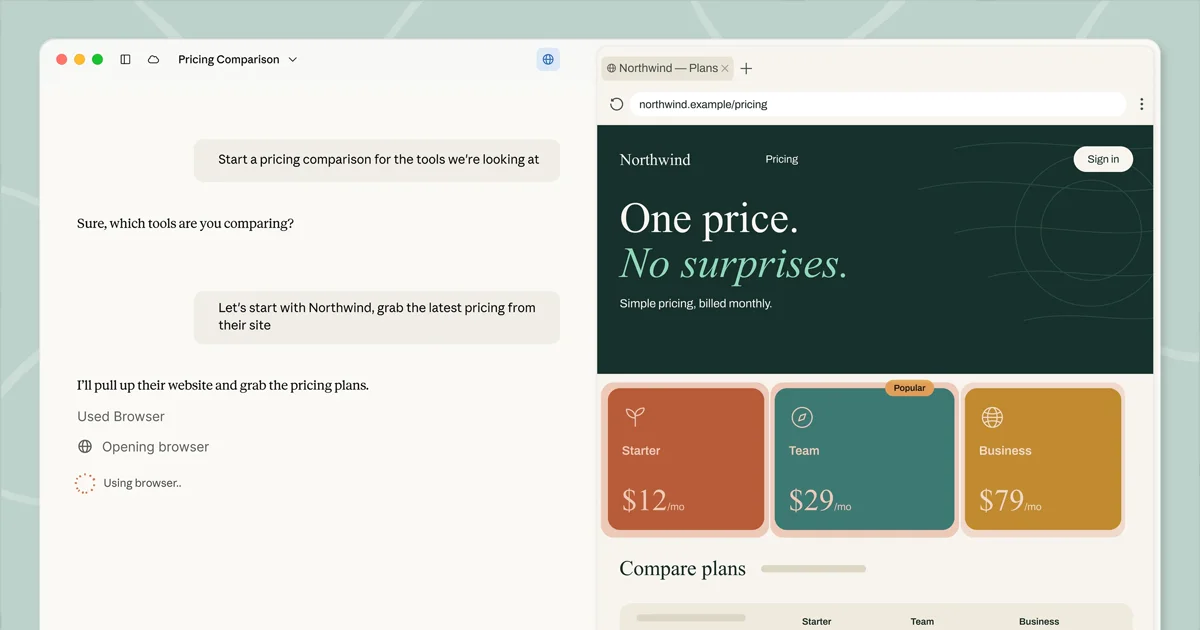
On 26 August 2026, Anthropic shipped a browser built into Claude Cowork on the desktop app. Anthropic’s Cowork built-in browser post says that when a task needs a website, a browser opens in the side panel and Claude works the page from there.
What the Built-in Browser Does
Claude can work through a portal that has no connector. There is no extension and no setup, and nothing is shared from the user’s own browser unless they choose.
Until now, web use in Cowork meant the Claude in Chrome extension.
Who Gets the Built-in Browser
The built-in browser is rolling out this week on the Claude desktop app for paid individual and Team plans. Enterprise admins can turn it on for their organization starting 26 August 2026.
The rollout covers macOS, Windows, and Linux, with Linux in beta. Once it reaches a user it is on by default. On Enterprise, Anthropic says it is available now and admins manage it in Organization settings → Cowork → Built-in browser.
A Separate Browser
The built-in browser is separate from the user’s browser. Claude never sees the user’s own tabs or passwords.
Logins can be brought over site by site from Chrome, Edge, or Firefox on macOS, and from Firefox on Windows and Linux. Banking sites are left out unless the user includes them.
If the user already uses Claude in Chrome, that stays the default, and otherwise Cowork uses the built-in browser. The switch lives in Settings → Cowork → Preferred browser.
The built-in browser carries the same prompt-injection risks and the same safeguards as Claude in Chrome.
The built-in browser lives in the desktop app. From the web or a phone, Claude can still drive it if the desktop app is open and online. On the web without the desktop app, Claude in Chrome remains the way to give Claude a browser.
The same day, Anthropic’s Claude in Chrome post made Claude in Chrome generally available on every paid plan. Claude can auto-approve browser actions after a safety classifier checks them, using the same mechanism as auto mode in Claude Code.
What It Means
I run Claude Code on the Max plan and I still start Cowork from the desktop app when a task needs a folder plus a site I do not have a connector for. A browser that opens in the side panel is the one I would leave running for that work.
I already use Claude in Chrome when I need to test as a user. The built-in browser is the one I want for a vendor portal I do not want sitting in my own tabs.
Sources
-
[1]
Claude gets its own browser in Cowork(claude.com)
-
[2]
Claude in Chrome is generally available(claude.com)
Written by Bobby Smart
@mrbobbysmartRecent News
- Everything OpenAI Announced at DevDay 2026 Oct 1
- OpenAI Launches dots, Always-On ChatGPT Agents with Their Own Computers Sep 29
- Claude Opus 5.5 Claims Fable 5.1 Performance at 60% Lower Prices Sep 23
- OpenAI Releases GPT-6 Sol and Luna at Half GPT-5.6 Promo Prices Sep 23
- SpaceXAI Grok 4.7: Same $2/$6, Strong Cost-for-Performance on CursorBench Sep 22